
Accounting Software: How to Choose the Best Solution for Your Business
Choosing the right accounting software is no longer a luxury for Egyptian companies. With the implementation of the Egyptian e-Invoicing and e-Receipt systems and increasingly strict tax filing requirements, an accounting system has become the backbone of tax compliance and sound financial decision-making.
 Attia Hamdy - • Electronic internal control systems
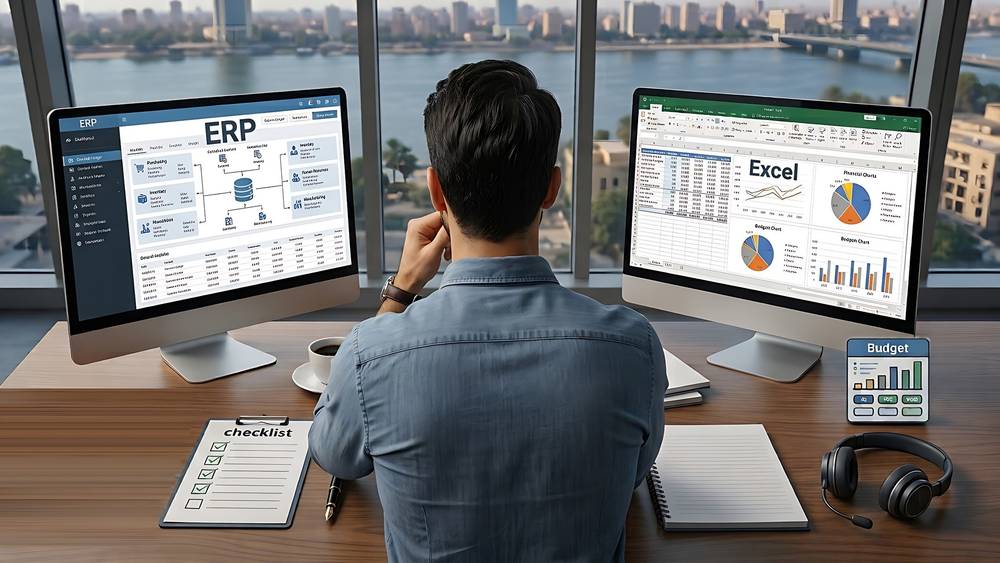
Accounting Software
Accounting software is a set of applications designed to record, process, and report financial transactions for businesses, nonprofit organizations, and individuals. It replaces manual record-keeping with automated workflows that improve accuracy, speed, and visibility into an organization’s financial position. Modern solutions range from basic bookkeeping tools for small businesses to full enterprise resource planning (ERP) systems that integrate accounting with operations, payroll, inventory, and customer management.
Key features
General ledger: Centralized ledger management that records all financial transactions and provides the foundation for financial statements.
Accounts payable and receivable: Tools for managing vendor invoices, payments, customer invoicing, and collections.
Bank reconciliation: Automated matching of bank transactions with recorded entries to ensure accuracy and detect discrepancies.
Invoicing and billing: Customizable invoice templates, recurring billing, and online payment processing.
Payroll: Salary calculation, tax withholding, benefits administration, and payroll reporting (often offered as integrated or add-on modules).
Financial reporting and dashboards: Pre-built and custom reports, balance sheets, profit and loss statements, cash flow statements, and real-time dashboards for KPIs.
Budgeting and forecasting: Tools to plan future income and expenses, compare budgets vs. actuals, and model scenarios.
Tax compliance: Support for tax calculations, filings, and audit trails to help meet regulatory requirements.
Multi-currency and multi-entity support: Necessary for companies operating across borders or with multiple subsidiaries.
Audit trail and security: Detailed logs of changes, role-based access controls, and permissions to protect financial data.
Integrations and APIs: Connectivity with banking platforms, CRM, e-commerce, payroll providers, and other business systems.
Automation: Recurring entries, rule-based categorization, and transaction matching to reduce manual work.
Benefits
Improved accuracy: Reduced manual entry errors and consistent accounting rules help ensure reliable financial records.
Time savings: Automation of routine tasks (invoicing, reconciliations, reports) frees staff to focus on analysis and strategy.
Real-time visibility: Dashboards and up-to-date reports help leaders make faster, better-informed decisions.
Scalability: Systems can grow with the organization, from single-user packages to multi-entity ERP solutions.
Stronger controls and compliance: Built-in audit trails, access controls, and regulatory reporting simplify audits and compliance.
Cost control: Better tracking of expenses and revenue streams makes it easier to manage budgets and reduce waste.
Types and deployment models
Accounting solutions come in several forms depending on size, budget, and technical requirements:
On-premise: Installed locally on company servers. Offers control over data and customization but requires internal IT resources for maintenance and backups.
Cloud / SaaS: Hosted by the vendor and accessed via the web. Typically offers faster deployment, automatic updates, built-in backups, and easier integrations.
Hybrid: A mix of cloud and on-premise components for organizations that need both cloud convenience and local control.
Industry-specific solutions: Verticalized systems tailored for nonprofits, construction, retail, manufacturing, or professional services with specialized workflows.
How to choose the right solution
Define your requirements: List must-have features, number of users, reporting needs, and any industry-specific functionality.
Assess integrations: Verify compatibility with banking, payroll, CRM, e-commerce, and other systems you rely on.
Consider security and compliance: Look for encryption, role-based access, SOC/ISO certifications, and tax/localization support.
Evaluate scalability and performance: Ensure the product can handle your transaction volume and growth plans.
Total cost of ownership (TCO): Compare subscription or license costs, implementation services, training, and ongoing support.
Ease of use and support: A clean user interface, good documentation, and responsive vendor support reduce disruption.
Run a trial or pilot: Test key workflows with real data before committing to a full rollout.
Implementation tips
Prepare data carefully: Clean and standardize chart of accounts, customer/vendor lists, and historical balances before migration.
Map business processes: Document how transactions flow today and how they should work in the new system to avoid surprises.
Train users: Provide role-based training and reference guides; encourage hands-on practice during a pilot phase.
Start in phases: Roll out core financials first, then add modules (payroll, inventory, advanced reporting) to reduce risk.
Test controls and reconciliations: Validate automated processes and reconciliation rules to ensure accuracy from day one.
Plan for change management: Communicate timeline, benefits, and support channels to minimize resistance.
Common pitfalls to avoid
Underestimating the effort required for data cleanup and process redesign.
Choosing a solution solely on price without validating feature fit or vendor reliability.
Neglecting integrations that later cause manual work and data silos.
Over-customizing the system, which can increase maintenance complexity and upgrade risk.
Insufficient user training and documentation, leading to errors and low adoption.
Emerging trends
Accounting software is evolving rapidly. Key trends include broader adoption of automation and AI for transaction categorization and anomaly detection, real-time analytics and predictive forecasting, open APIs that enable ecosystem integrations, increased mobile-first capabilities for on-the-go expense capture and approvals, and stronger emphasis on security and continuous compliance.
Next steps
If you want to expand this into a vendor comparison, implementation plan, or a one-page vendor evaluation checklist, tell me which direction you prefer and I will create the tailored content (including templates and sample questions) to help you move forward.
Choosing the right accounting software is no longer a luxury for Egyptian companies. With the implementation of the Egyptian e-Invoicing and e-Receipt systems and increasingly strict tax filing requirements, an accounting system has become the backbone of tax compliance and sound financial decision-making.
Yet, every week we see companies that have spent significant amounts on systems that do not fit their needs, or have remained for years dependent on scattered Excel files. In this guide, we summarize our practical experience implementing systems such as Odoo, Zoho, and Capital for our clients: how to identify your actual needs, when “free” software can become expensive, how to compare available solutions, and the role of the accountant in ensuring successful implementation.
Start by Defining Your Needs Before Comparing Software
The first mistake we often see is starting with the question, “What is the best accounting software?” before determining what you actually need.
Sit down with your accountant and answer the following questions:
Invoicing: How many invoices do you issue each month? Do you need sales and purchase invoices, quotations, and returns?
Inventory: Do you have multiple items and warehouses and need to track costs and reorder levels?
Value Added Tax (VAT): Does the system automatically calculate VAT and generate monthly VAT return reports?
E-Invoicing: Does it integrate directly with the Egyptian Tax Authority’s e-Invoicing system or through an approved integration provider?
Arabic Language: Does the interface and reporting fully support Arabic in a way that suits your team?
Users and Permissions: How many users need access, and what levels of permissions are required?
Answering these questions can eliminate 80% of the software selection process, because the accounting software requirements of a manufacturing company with multiple warehouses are fundamentally different from those of a small service business.
Free Accounting Software: Why Can “Free” Cost You More Later?
We are not fundamentally against free solutions. Some can be a reasonable starting point for newly established businesses. However, based on actual cases we have handled, hidden costs often appear later in several forms:
Lack of technical support: Operations may come to a standstill for days when the first database issue occurs.
No e-Invoicing integration: This can force you to enter the same data manually twice, increasing the risk of errors.
Restrictions on users, transactions, or reports: These limitations may eventually force you into an expensive upgrade.
Difficulty migrating your data: When moving to a more powerful system, you may face significant challenges and could potentially lose your historical accounting records.
Our recommendation is simple: evaluate the total cost of ownership over three to five years — including licenses, implementation, training, and lost working time — rather than looking only at the initial subscription price.
Cloud-Based or On-Premise?
A cloud-based system operates over the internet, with your data hosted by the service provider. An on-premise system, on the other hand, is installed on your own servers.
Cloud systems provide access from anywhere, automatic updates, managed backups, and a lower initial cost. They are suitable for most small and medium-sized businesses.
On-premise systems provide greater control over data and infrastructure and may be suitable for organizations with strict internal policies or unreliable internet connectivity. However, they require an IT team and ongoing maintenance costs.
Based on our experience, the majority of businesses today are moving toward cloud-based solutions unless there is a strong regulatory or operational reason preventing them from doing so.
Practical Comparison: Odoo, Zoho, and Local Accounting Systems
We implement multiple solutions for our clients, and each solution has its appropriate use case.
The following is a simplified comparison based on our actual implementation experience. Prices are excluded because they vary according to the number of users, modules, and the latest updates from each provider.
Criteria | Odoo Accounting | Zoho Books | Local Systems (such as Capital) |
|---|---|---|---|
Scope of Functions | Full ERP: Accounting, Inventory, Purchasing, Sales, Manufacturing, Human Resources | Strong accounting and invoicing with complementary applications within the same ecosystem | Accounting and inventory with a strong focus on the Egyptian market |
Arabic Support | Good and continuously improving with customization | Good interface and reporting support | Very strong because it is locally designed |
Flexibility & Customization | Very high; open-source, but requires an experienced implementation partner | Moderate; quick and easy to deploy | Relatively limited outside built-in functions |
Egyptian E-Invoicing | Available through customization or integration providers | Available through integration solutions | Usually supported directly through local integration |
Best Suited For | Growing medium-sized companies seeking one platform for all operations | Small and medium-sized companies seeking fast implementation with less complexity | Businesses looking for an Arabic solution with direct local support |
There is no single “best accounting software” for every business. The best solution is the one that matches the size of your operations, your growth strategy, and the capabilities of your team.
Data Migration and Chart of Accounts: The Make-or-Break Stage
Most implementation failures we have been called in to fix were not caused by the software itself, but by poor initial setup.
Proper migration should include the following steps:
Design a Chart of Accounts that reflects the nature of your business and the cost centers required for reporting, rather than simply copying a ready-made chart of accounts.
Clean historical data: Reconcile customer, supplier, and inventory balances before migration. Migrating incorrect data simply creates a new system containing old errors.
Enter opening balances using a clearly defined cut-off date and reconcile them against an approved trial balance.
Run the old and new systems in parallel for a limited period to ensure that the results match before fully switching to the new system.
Train users and document every transaction cycle, from the purchase order through to the accounting entry.
The Role of the Professional Accountant in Selecting and Implementing Accounting Software
Software is a tool, while the accountant is responsible for ensuring that its outputs are financially and tax compliant.
At ECPA, we do not simply sell software licenses. We provide an integrated implementation service that includes analyzing your document flow, designing the chart of accounts and user permissions, establishing e-Invoicing integration, migrating opening balances, and training your team.
We then conduct periodic reviews to ensure that the reports generated by the system are suitable as a basis for tax returns and audited financial statements.
With 26 years of experience, more than 1,270 clients, and experience across 14 different sectors, we understand the common challenges faced by businesses in each industry and can address them before they become problems.
Frequently Asked Questions
What is the best accounting software for small businesses in Egypt?
There is no single answer. For a small company with simple operations, a ready-to-use cloud solution such as Zoho or a local accounting system may be sufficient. A growing company with multiple activities may benefit more from an ERP solution such as Odoo.
The right approach is to define your requirements first, then compare the available solutions.
Can accounting software replace an accountant?
No. Accounting software speeds up data entry and reduces calculation errors, but it cannot replace professional judgment when it comes to accounting guidance, tax treatments, financial statement preparation, and dealing with tax inspections.
Do these systems support the Egyptian e-Invoicing system?
Many systems support the Egyptian e-Invoicing system either through direct integration or through approved integration providers. However, the level of readiness varies from one system to another and depends on the latest updates.
Therefore, make e-Invoicing integration a mandatory requirement before signing a contract.
How long does it take to implement a new accounting system?
Implementation can range from a few weeks for a simple cloud-based solution to several months for a fully integrated ERP system with inventory and manufacturing modules.
The actual timeline depends on the readiness of your data and your team’s commitment to the implementation stages.
When is the right time to move from Excel to accounting software?
The right time is when the volume and complexity of your transactions exceed the ability of manual files to provide proper control.
This may happen when you have:
A growing number of invoices
A need for real-time inventory reports
Multiple warehouses or branches
More users accessing financial data
A requirement to comply with the Egyptian e-Invoicing system
The longer you delay the decision, the more difficult and costly data migration can become.
Ready to Choose Your Accounting System with Confidence?
ECPA — Egyptian CPAs for Consulting & Tax — implements Odoo, Zoho, Capital, and other accounting and ERP solutions, from assessing your business needs through full implementation and Egyptian e-Invoicing integration.
Contact ECPA through its website and get an assessment session for your company’s requirements before spending money on any software license.